Index
Overclocking
GPU Boost technology takes care of the card so overclocking is not as simple. Kepler GPU has two clocks – one being the Base clock, which is the guaranteed clock, while the other is Boost clock, average auto-overclocking clocks. Whenever there’s room to do so (depending on GPU workload, consumption and thermals), GPU Boost will auto-overclock. When we want to overclock the GPU, we increase the Base clock and hope that GPU Boost technology will “grant” our request. Unless we overdid it, GPU Boost will make sure to squeeze out more juice from the chip.
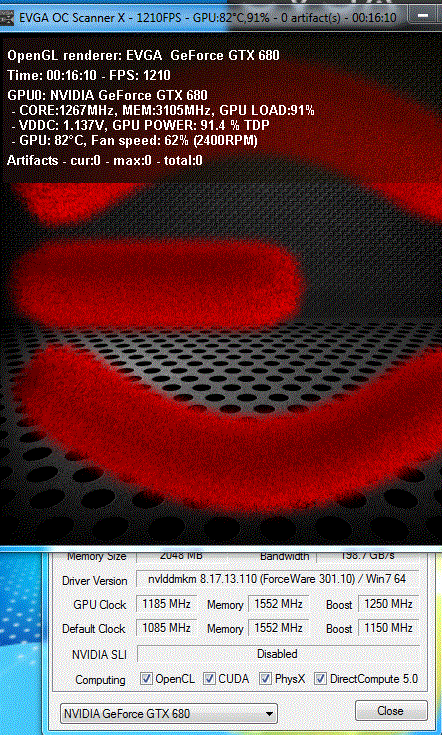
A few days ago when we previewed EVGA’s GTX 680 Signature, we said that we hit 1185MHz GPU without changing voltages and fan speed. We played a few games, turned on EVGA Scanner and everything went without a hitch, but we forgot about Unigine Heaven. The overclock didn’t work in Unigine test until we increased the GPU voltage from 990mV to 1075mV. EVGA Precision X’s maximum allowed voltage is 1175mv. The Base clock of 1185MHz had Boost clocks of 1250MHz, where the highest clock was 1288MHz.

After upping the voltage to 1150mV, we could set the Base clock to 1200MHz. For the card to run stable at Base clock of 1200MHz, we had to speed up the fan to over 3200RPM. Unfortunately, we found this too loud to enjoy our overclock.

Anyhow, 1185MHz for the GPU is quite a nice result with acceptable noise levels. As you can see, there’s room for further overclocking despite the factory overclock to 1085MHz.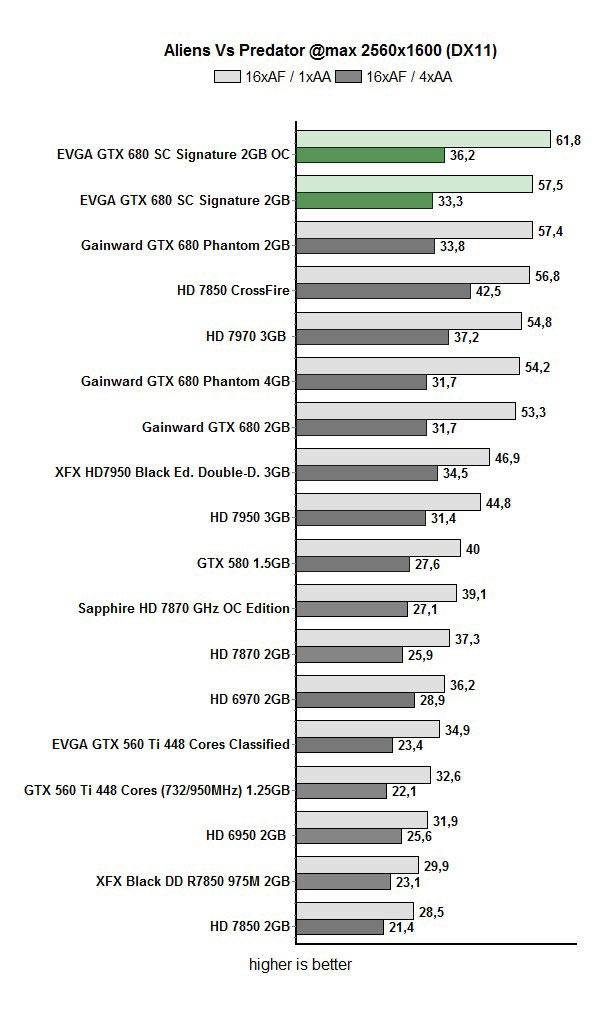
Thermals and Noise
EVGA GTX 680 SC Signature uses reference cooling styled to suit EVGA’s image. The cooler itself is the reference one with wider air exhausts on the bracket.
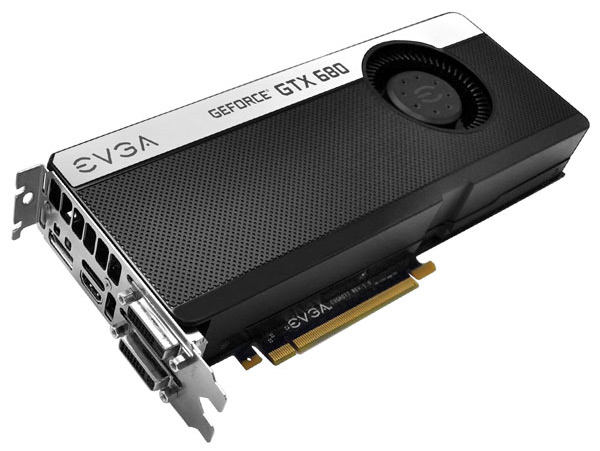
We already said the GTX 680’s cooler is quieter than the one on HD 7970 cards, but is a bit louder than the one on GTX 580 cards.
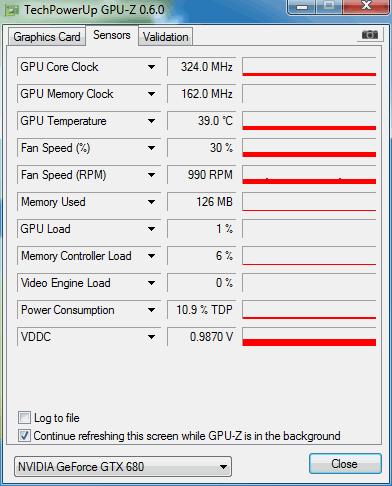
We can confirm that you’ll hear EVGA’s GTX 680 SC Signature from an enclosed case if the card heats up, but it’s not too loud. The Signature’s cooling isn’t quieter than the reference card’s, but it’s not much louder either. Of course, this is something we expected since it’s a factory overclocked GPU.
If you want a silent GTX 680, then look for a water cooled one or a version with special cooling and two silent fans, which is exactly what we hope EVGA’s GTX 680 Signature 2 will be once it hits the market. EVGA’s GTX 680 SC Signature’s thermals are fine though, and temperatures are only a few degrees higher than on reference cards.
Consumption
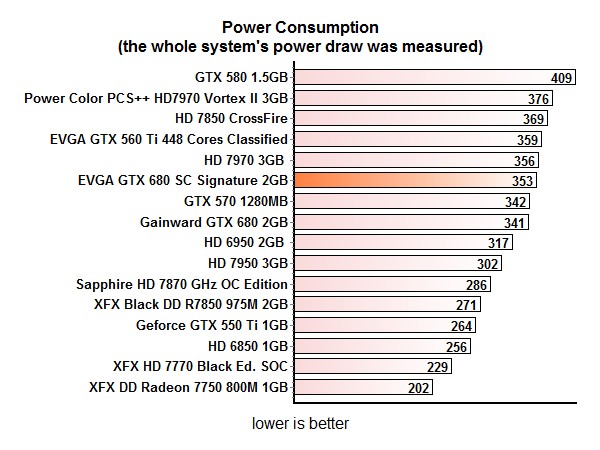
Due to higher clocks, the card consumes about 10W more than the reference card.