Featured Articles

Gainward GTX 780 3GB previewed

Gainward GTX 780 3GB previewed

The Gainward GTX 780 is now available priced at about US $649/€649, but we're hoping it will be available for a…

More...
GTX 780 available in US stores

GTX 780 available in US stores

The GTX 780, a trimmed down version of the Geforce Titan, is out and we wrote that almost a dozen…

More...
Newegg claims Shield comes on June 30

Newegg claims Shield comes on June 30

It is no secret that for the last few days you can pre-order Nvidia Shield, at least if you are based…

More...
Nvidia officially launches the GTX 780

Nvidia officially launches the GTX 780

Just as we wrote a couple of days ago, Nvidia has picked the 23rd of May as the official launch date…

More...
HIS iCooler Turbo HD 7790 reviewed

HIS iCooler Turbo HD 7790 reviewed

Today we’ll take a closer look at a factory overclocked HD 7790, courtesy of HIS. The HIS HD 7790 iCooler Turbo…

More...
Frontpage Slideshow | Copyright © 2006-2010 orks, a business unit of Nuevvo Webware Ltd.
Wednesday, 05 October 2011 07:01

Thermaltake Armor A30 tested - 3. Internal

Written by Sanjin Rados
A30_thumbtop-value-2008-lr

Review: In-case airflow and cooling are pretty good

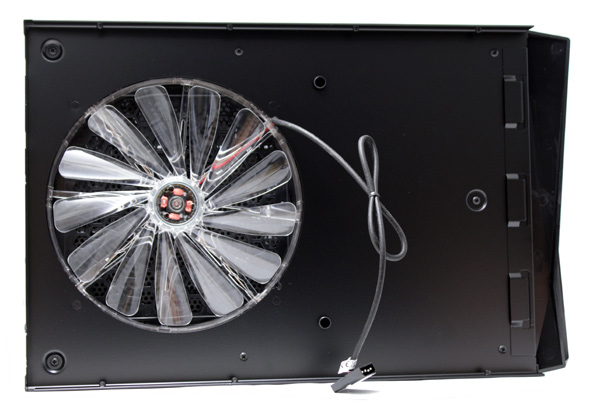
Removing the top panel allows access to components inside. The top panel holds a 230mm fan (800rpm, 15dBA), which connects via Molex.
armor-a30--ventilator

armor-a30-1

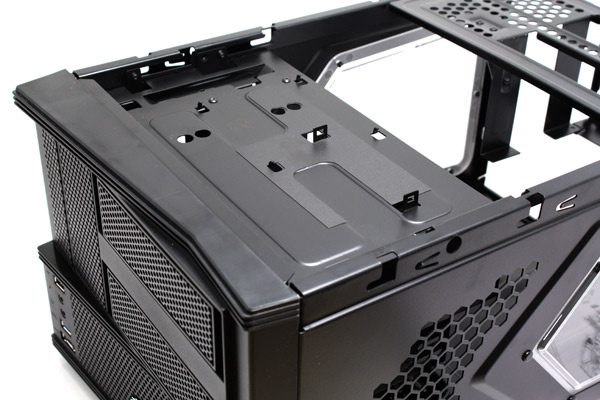
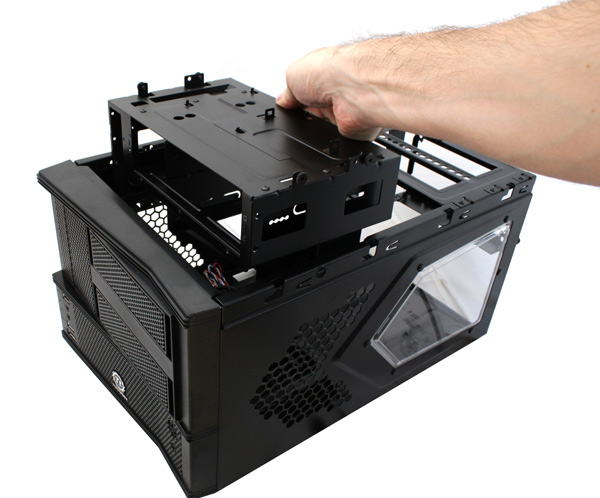
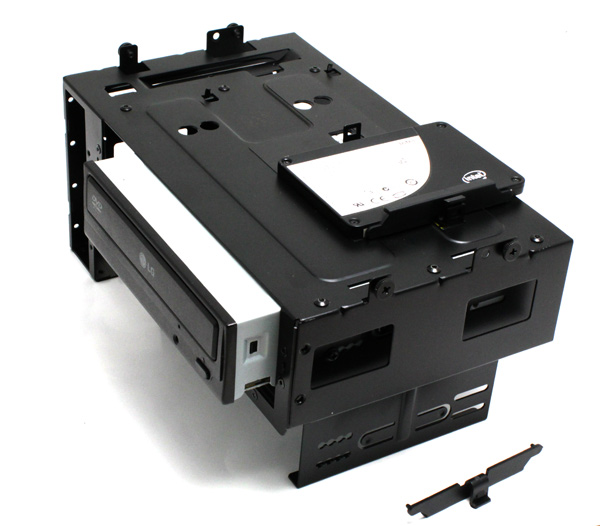
The Armor A30 will take two 5.25’’ optical drives. Note that you’ll have to remove the front panel and take the console out, as you can see from the pictures below.

A30-inside-3

A30-box-holding


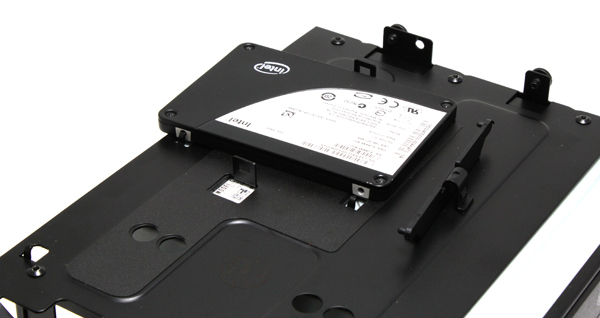
Apart from the two 5.25’’ and one 3.5’’ drive, the console will take another two 2.5’’ drives, thanks to the included plastic brackets.
A30-hdd

A30-hdd-1

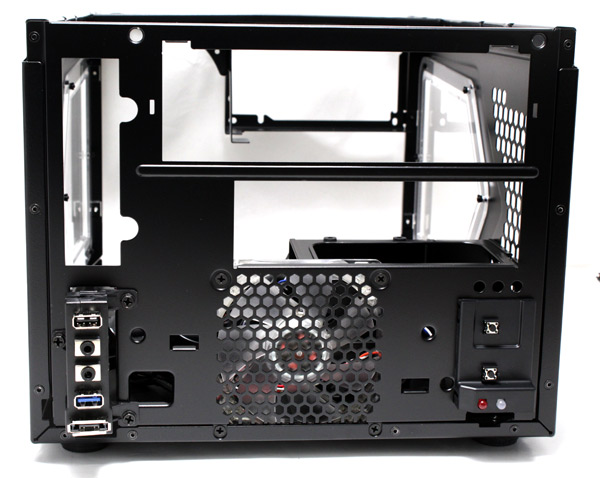
After removing the front panel, you can see the connectors, fans and the standard status LEDs.
A30--house

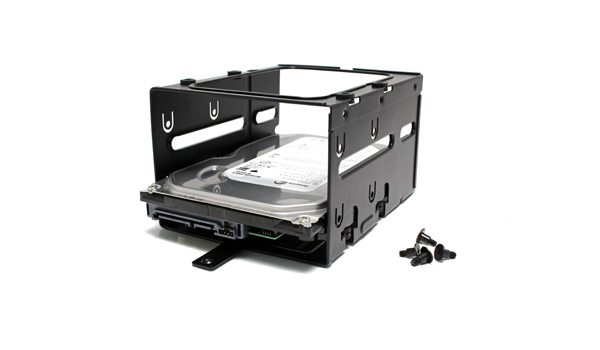
Standard 3.5’’ drives are mounted in a separate console attached to the bottom of the case. In order to access it, you’ll have to remove the 5.25’’ console first.

The smaller console will take two 3.5’’ drives, where rubber grommets prevent vibration and resulting noise.
A30-3.5inch-bay

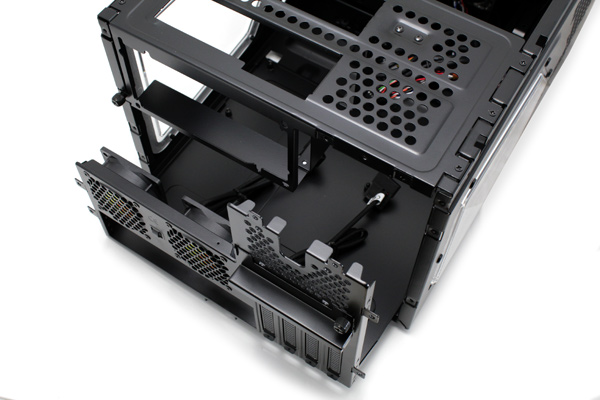
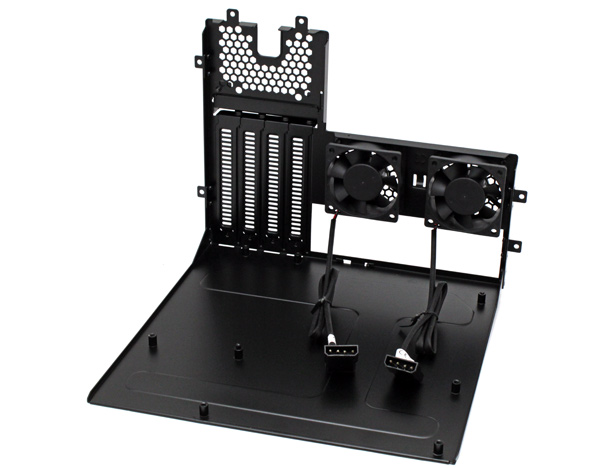
The motherboard tray can be removed, which will be a godsend for many users. Namely, it makes mounting motherboards, CPU coolers and expansion cards easy.

armor-a30-motherboard-tray
armor-a30-motherboard-tray1

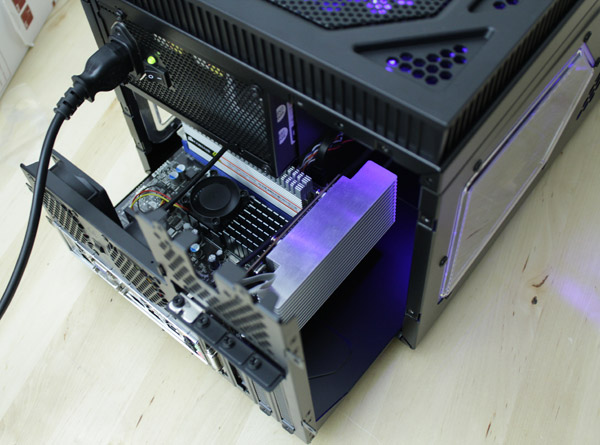
The ATX PSU is mounted in a cage that’s above the motherboard, which explains why CPU coolers must be less than 90mm high. We recommend using a modular PSU due to limited space inside.
armor-a30-motherboard-tray2

The Armor A30 will take the longest of graphics cards. However, you should mind the motherboard design because dual slot cards such as Radeon HD 6970 can only fit if they’re placed in the first expansion slot.
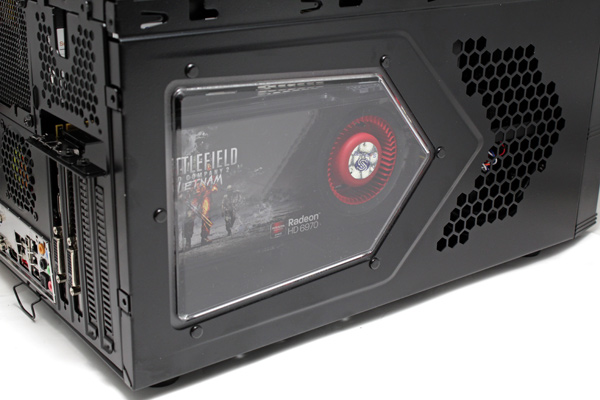
A30-hd6970

The Armor A30 was easy to fill up with components but cable management was a bit difficult. However, Thermaltake’s cable ties ended up being a godsend and we managed to finish the job quickly.

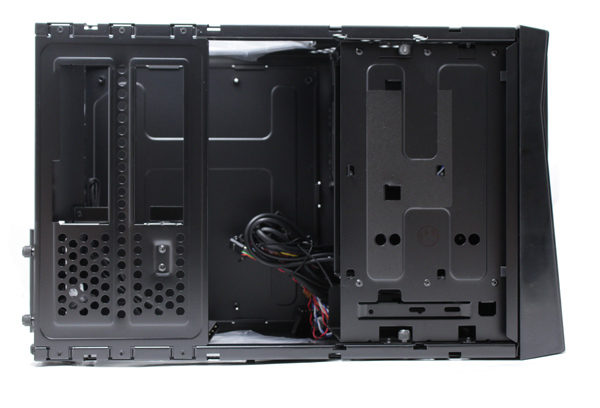
Modular parts of the case made our life much easier. Once all the consoles are removed from the case, there is almost nothing left inside.
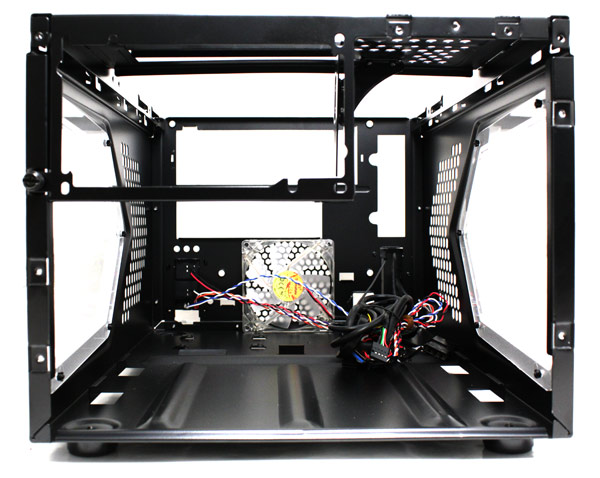

A30---house-1

Combination of a large 230mm fan with three smaller fans and additional outlets/inlets yielded quite good results. Namely, the Armor A30 is almost inaudible yet remains very efficient in cooling.
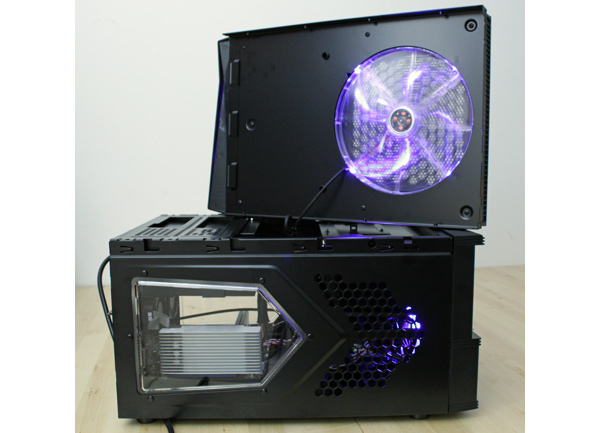
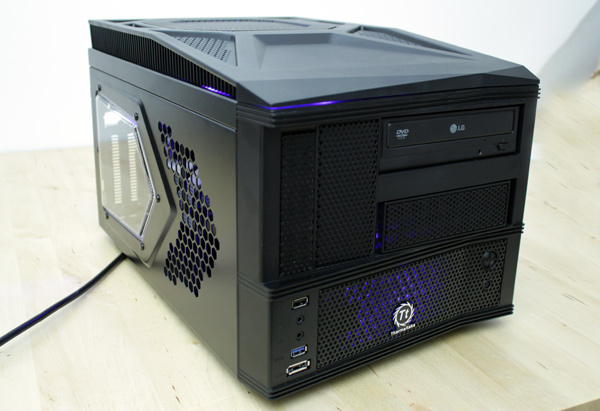
armor-a30--ventilator2
armor-a30--computer-case


(Page 3 of 4)
Last modified on Wednesday, 05 October 2011 09:15
blog comments powered by Disqus

To be able to post comments please log-in with Disqus


Facebook activity

Latest Commented Articles

Recent Comments