Featured Articles

Nvidia GTX 770 spec is out

Nvidia GTX 770 spec is out

In addition to the GK110 based Nvidia Geforce GTX 780, we managed to get some details regarding the GK104-based GTX 770…

More...
Nvidia Geforce GTX 780 detailed

Nvidia Geforce GTX 780 detailed

We managed to confirm the full spec of the upcoming Nvidia Geforce GTX 780 graphics card as well as some performance…

More...
AMD shares take rollercoaster ride

AMD shares take rollercoaster ride

In the last 52 weeks AMD was on a rollercoaster ride, with prices ranging from $1.81 to $6.46. Yesterday it closed…

More...
HIS iCooler Turbo HD 7790 reviewed

HIS iCooler Turbo HD 7790 reviewed

Today we’ll take a closer look at a factory overclocked HD 7790, courtesy of HIS. The HIS HD 7790 iCooler Turbo…

More...
Kingston DataTraveler Ultimate 3.0 Generation 3 (32GB) reviewed

Kingston DataTraveler Ultimate 3.0 Generation 3 (32GB) reviewed

High capacity USB drives have become commonplace a while ago, but although some memory outfits are peddling huge drives, up…

More...
Frontpage Slideshow | Copyright © 2006-2010 orks, a business unit of Nuevvo Webware Ltd.
Friday, 08 July 2011 10:29

Cooltek K3 Evolution - USB 3.0 computer case tested - 4. Internal

Written by Sanjin Rados

Cooltek-K3-Evolution-USB-3.0top-value-2008-lr

Review: Only 40 euro. Where's the catch?

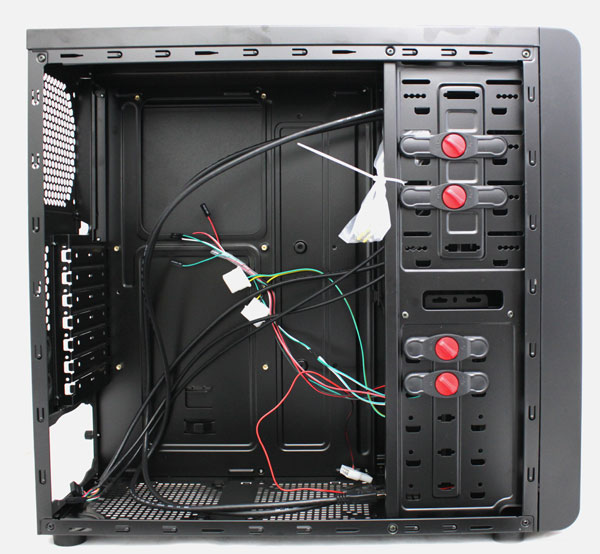
The case is made of 0.6mm steel and although it may seem fragile, we’re still pretty happy with it, not least after considering it goes for €40. Side panels can be bent easily once removed but when the case is locked and loaded, it’s very tough. As you can see, the case is painted black inside and outside, which is a feature we’re more used to seeing with high-end cases. We tried to pick hairs but we couldn’t find any when it comes to finishing touches – edges and notches are smooth in order to prevent cuts during mounting.
Cooltek-CT-K--III_inside

The K3 Evolution is a case that can hold ATX motherboards. It’s not designed with full flexibility in mind as the HDD cage is fixed.

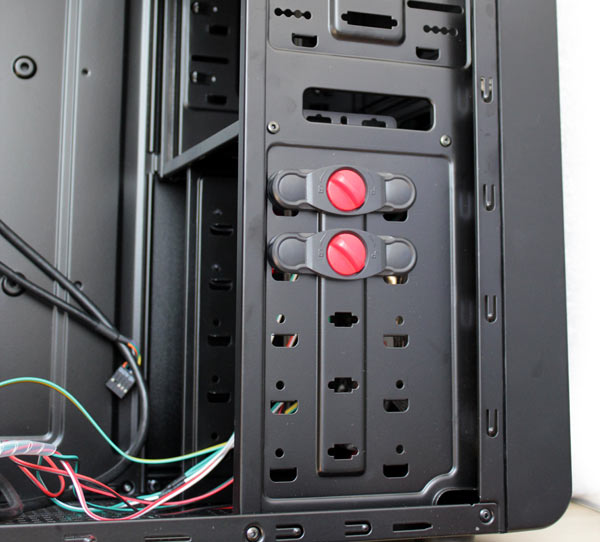
The case has two tool-less mechanisms for locking optical drives and two tool-less mechanisms for HDDs. Of course, Cooltek did their best to knock the price down and besides, most regular users don’t use more than two drives.

The HDD cage can hold five 3.5" drives whereas the sixth 3.5" drive can be put into the 5.25" bay.
Cooltek-CT-K--III-hdd

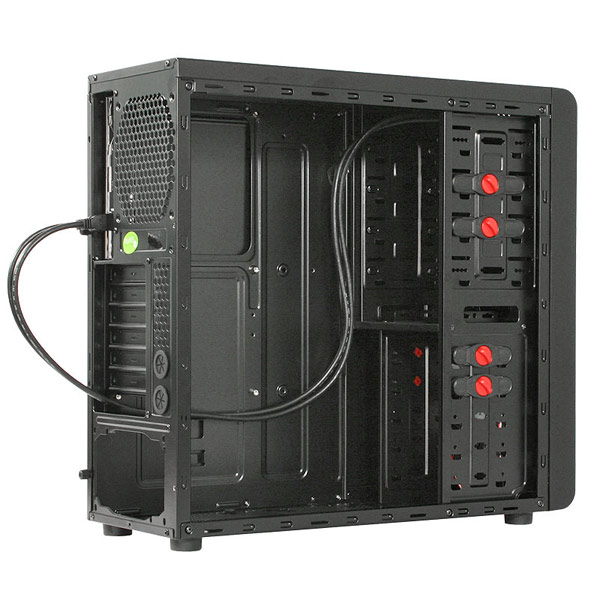
The thick black cables you see on the picture below belong to USB 3.0 connectors. Naturally, they must be connected to your motherboard’s external connectors, provided your motherboard has one. The cables can be routed through an empty slot or through water cooling holes.
Cooltek-CT-K--III-inside2

Cabling can’t be routed behind the motherboard tray because there isn’t enough room. The motherboard tray has a large CPU backplate cutout.
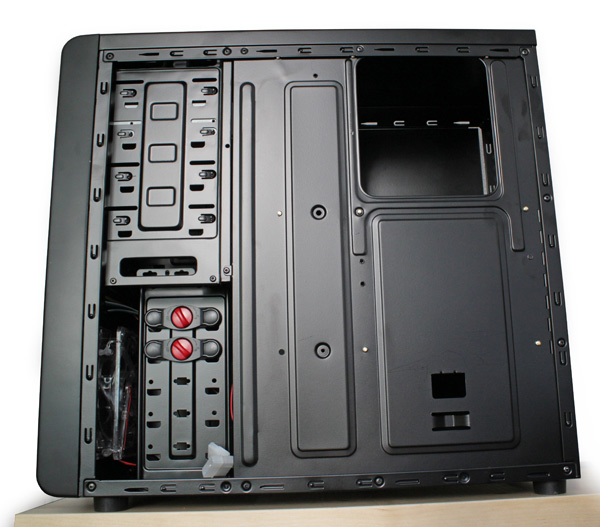
Cooltek-CT-K--III-back-2

(Page 4 of 6)
Last modified on Monday, 03 October 2011 15:46
blog comments powered by Disqus

To be able to post comments please log-in with Disqus


Facebook activity

Latest Commented Articles

Recent Comments