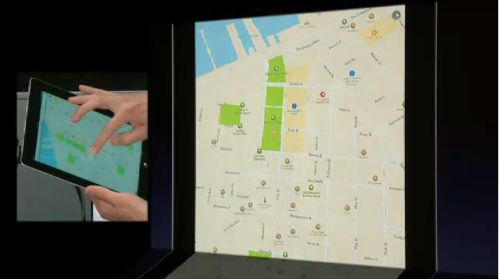
When you press maps in iOS 6 you will get Apple’s version. Good news is that it includes maps for many parts of the globe including Europe, Asia, Australia and USA. Part of the app is the local search to find some 100 million local businesses. Apple had Yelp integrated to tell you more about local businesses you can find on these local search powered maps.
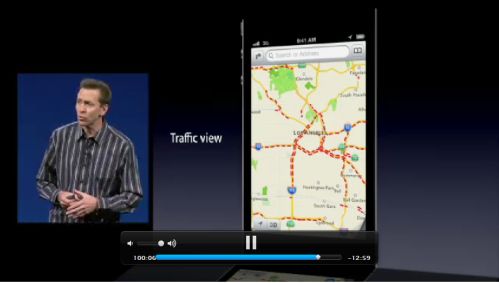
The traffic report will tell you which roads to avoid and there is even an accident report. Apple is using anonymous real time, crowd sourced traffic reports to get some real time traffic data.
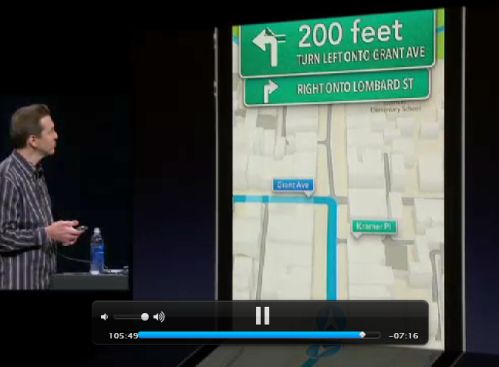
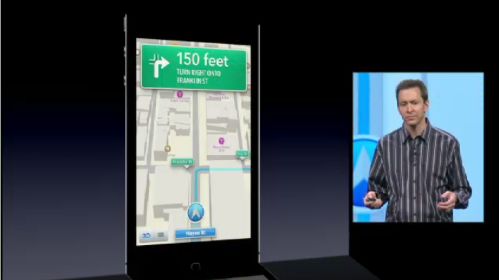
Turn by turn navigation will get you an estimate for how much time the trip should take, but it will update according to current traffic. If the traffic slows down in front of you, app will give you an updated time. It works in lock screen as well, as long as you are plugged in.
Siri integration is a part of navigation and you can simply ask Siri to take you to a desired place. This will definitely work with landmarks and some common addresses like Thomas street, but we wonder how this would work in some other environments.
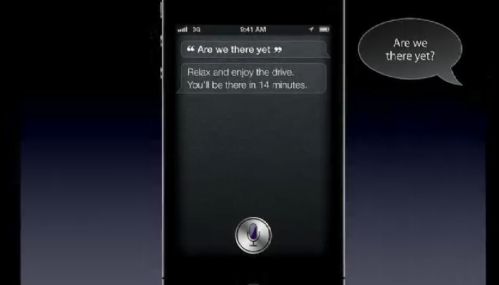
You can ask Siri questions along your route and it can find you a gas station. If you ask are we there yet, you will get an answer.

Flyover will give you 3D pictures of some major places from the air. It looks quite nice and it’s rendered in 3D. It works and looks nice but this begs a question of how many places will be recorded with this feature.

In turn by turn navigation, you can zoom out to see the whole route, you can see a cool animations following the corners in your route. All in all, it definitely looks like something you can use on a daily basis.
We are not sure navigation manufactures are too happy about Apple jumping aboard the navigation train and giving it for free for iPhone and iPad users. Maps will work on all iOS 6 supported devices including iPhone 3GS and later, iPad 2 nd and 3rd generation and iPod touch 4th generation.