Index
GPU Boost technology takes care of the card so overclocking is not as simple. Kepler GPU has two clocks – one being the Base clock, which is the guaranteed clock, while the other is Boost clock, average auto-overclocking clocks. Whenever there’s room to do so (depending on GPU workload, consumption and thermals), GPU Boost will auto-overclock. When we want to overclock the GPU, we increase the Base clock and hope that GPU Boost technology will “grant” our request. Unless we overdid it, GPU Boost will make sure to squeeze out more juice from the chip.
As the name suggests, EVGA’s GTX 670 Superclocked is a factory overclocked card. Its GPU runs at 967MHz, and the memory at 1552MHz.
With the launch of its GTX 670, EVGA made a new skin for its PrecisionX v.3.0.2. tool (picture below).
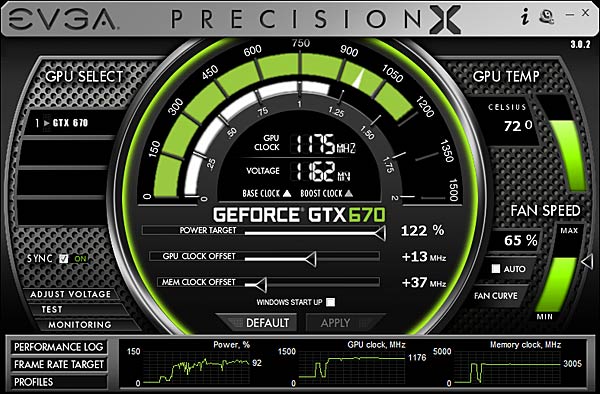
We had no trouble pushing the GPU by another 100MHz and the memory by 150MHz via PrecisionX tool. We moved the Power Target slider to 122 percent, the GPU Clock Offset to +100MHz, sped up the fan to 65 percent RPM (around 2670RPM) and increased the voltage from reference 988mV to 1050mV. The fan could be heard at 65 percent RPM, although it’s not too loud. When in AUTO mode, the fan was rarely audible and even then was quite unobtrusive. The fan is almost inaudible when the card is idle.
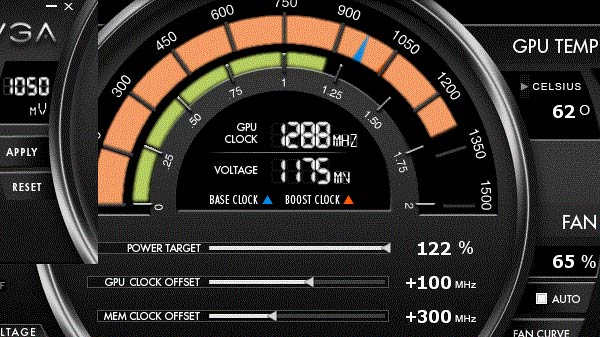
Maximum EVGA PrecisionX-allowed voltage is 1175mV. We didn’t have much time do dedicate to overclocking but we’ve noticed that after changing GPU Clock Offset by +120, upping the voltage had an adverse effect on stability. We believe that it’s down to the GPU Boost technology. Still, GPU Boost does its job quite well because it still auto-overclocked even after our additional 100MHz GPU overclock. So, we measured clocks all the way up to 1288MHz.


EVGA GTX 680 SC Signature uses reference cooling styled to suit EVGA’s image. The cooler itself is the reference one with wider air exhausts on the bracket.
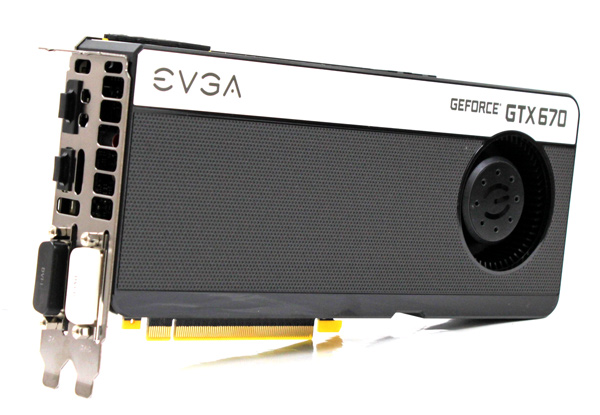
The cooler is quite good when it comes to noise. When the card is idle, you’ll barely hear it. You’ll also hear it when the card gets hot, but nothing too loud and a job very well done. GPU temperatures were at about 80°C under load, which is comparable to the GTX 680’s thermals. Note however that the GTX 680 is noisier than EVGAs GTX 670 Superclocked.
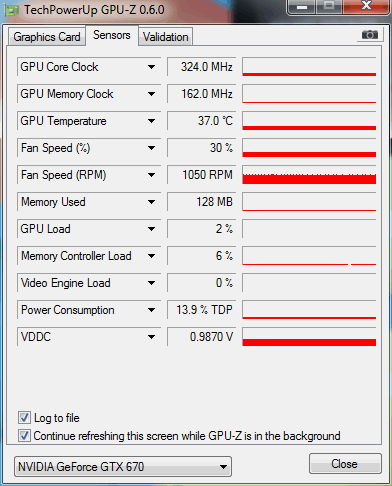
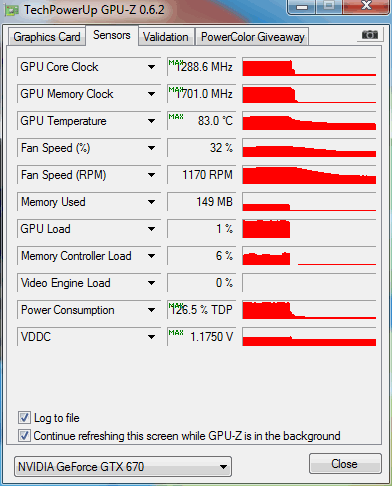
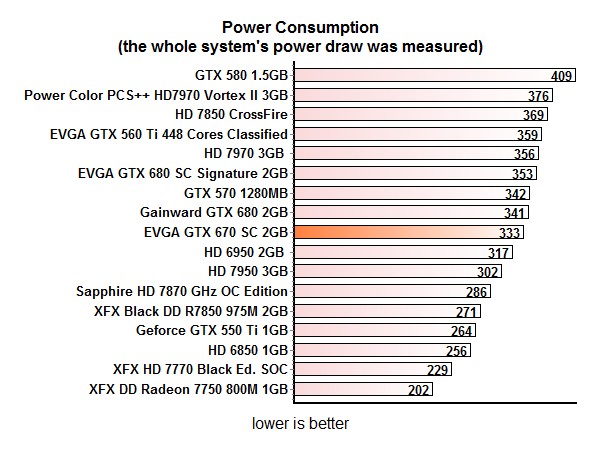
Although it ticks at higher clocks, EVGA’s GTX 670 Superclocked’s consumption isn’t as high when considering the performance.