Featured Articles

Microsoft officially announces the Xbox One

Microsoft officially announces the Xbox One

As announced earlier, Microsoft has now finally unveiled its next-generation console, the Xbox One. Although it did not shed much light…

More...
AMD poaches more Nvidia talent

AMD poaches more Nvidia talent

AMD has apparently managed to grab yet another high-ranking Nvidian, but this time it was no engineer or developer.

More...
Qualcomm and Samsung overtake AMD

Qualcomm and Samsung overtake AMD

It’s no secret that the mobile boom is taking a toll on makers of PC components and AMD is one of…

More...
Nvidia Geforce GTX 780 detailed

Nvidia Geforce GTX 780 detailed

We managed to confirm the full spec of the upcoming Nvidia Geforce GTX 780 graphics card as well as some performance…

More...
HIS iCooler Turbo HD 7790 reviewed

HIS iCooler Turbo HD 7790 reviewed

Today we’ll take a closer look at a factory overclocked HD 7790, courtesy of HIS. The HIS HD 7790 iCooler Turbo…

More...
Frontpage Slideshow | Copyright © 2006-2010 orks, a business unit of Nuevvo Webware Ltd.
Wednesday, 08 September 2010 12:56

Cooler Master Storm Inferno tested - CM Storm Tactics Software

Written by Muamer Odobasic
Malarecommended08_75

Review: A perfect mouse for MMORPG gamers?


CM Storm Tactic Software has plenty of useful options – independent X and Y axis DPI setting, game profiles, RapidFire, macros, scripts, and many more.

The mouse has 128kb of built in memory and can hold DPI settings entirely in hardware, thus eliminating the need for installing the mouse every time you’re gaming on someone else’s computer. However, that’s not all.

CM Storm Tactic software can be ran from the CD as well as installed on your computer. The interface holds 6 tabs and is pretty intuitive.
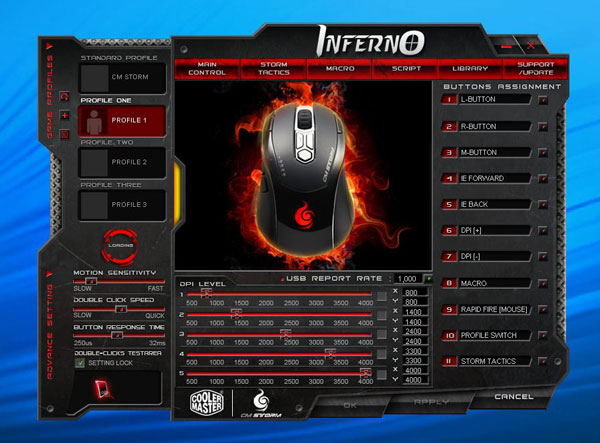
The picture below shows Main Control, which is the default start page. You can use this menu to set up keys, DPI settings as well as USB report rate.
SS1


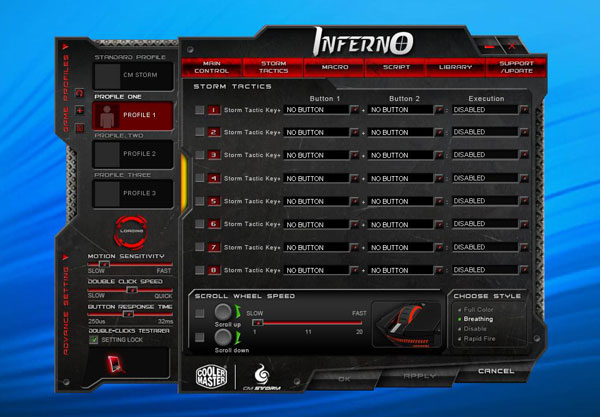
The next window is Storm Tactics, meaning that this is where you set up the auxiliary key on the left. We’ve already mentioned that this key is used as shift or ctrl key and can be used for alternative functions on all keys except for the two main ones.

At the bottom of this tab you can set up scroll-wheel speed. You can also choose between 4 different color schemes on the mouse.
SS2

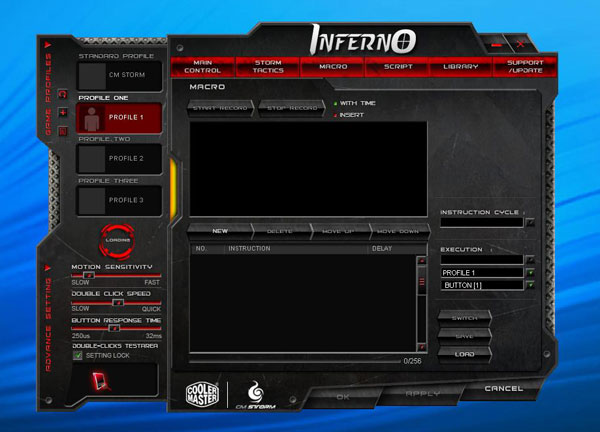
The third and fourth tabs are reserved for macro commands and scripts. All macros and scripts can be saved both on the mouse and on your HDD. You can then organize them the way you see fit in the fifth tab – Library.
SS3

The last window is for technical support and updates.
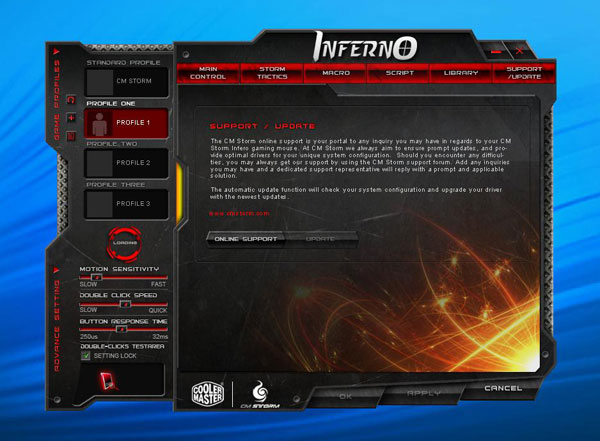
SS4

(Page 5 of 6)
Last modified on Wednesday, 08 September 2010 13:04
blog comments powered by Disqus

To be able to post comments please log-in with Disqus


Facebook activity

Latest Commented Articles

Recent Comments