
Index
Page 2 of 3
Input Devices
Now for our gratuitous keyboard closeup.

The layout is straightforward, and we always like to see a big enter key placed where it should be, on the edge of the keyboard. It feels good, although there's a fair bit of flex in the center, and the matte finish on the keys also feels and looks durable. We liked the touch-sensitive multimedia keys as well, although the plastic used on them could have been a bit thicker.
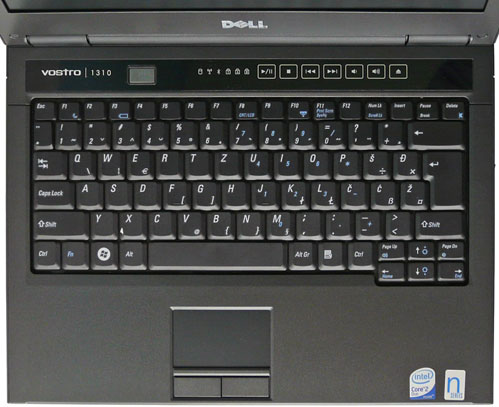
The touchpad is netbook sized, just 62x38 mm across. Although it works just fine, it's just too small, and it's not easy to get used to. The touchpad keys have too much travel, and feel soft, much like keyboard keys. There's no clear click and far too little resistance for our taste.
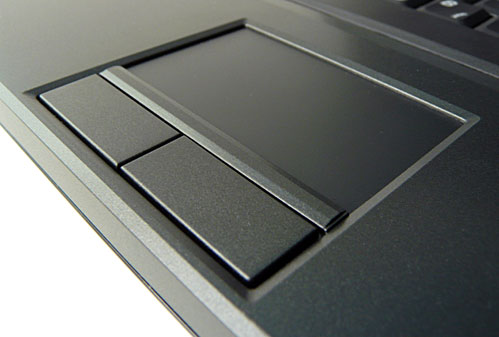
Although the touchpad is tiny, for some reason it's placed on the edge of the chassis, which, coupled with the recessed touchpad keys with too much travel, can be quite annoying.
Ergonomics, everyday use
There's not much to complain about when it comes to ergonomics and user friendliness. Almost perfect, but bear in mind, almost. Although it offers a plethora of connectors, there's no video out, no HDMI or S-video.

The Vostro 1310 features fours USBs, which is quite impressive for such a compact device. Three are placed on the right hand side, while one is on the left. Also on the right hand side, the slot in optical drive, power connector, and flimsy wireless button.

On the left side you can see the fourth USB, audio connectors, FireWire, card reader (SD,MMC,MS), and the ExpressCard slot.
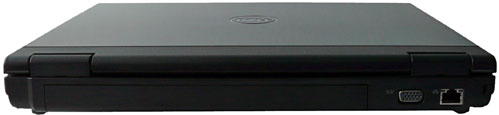
At the back you'll find the VGA out, Ethernet and security lock.
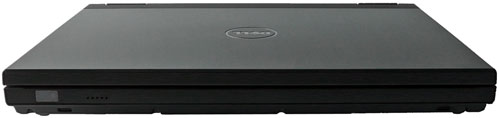
And on the front, there's nothing, apart from the puny mono speaker and LED status indicator. The mono speaker just doesn't cut it, especially not in a time when even smaller notebooks and even netbooks feature stereo speakers. What's worse, if you use it in your lap, you probably won't even hear the faint sound it produces, as your clothes will get in the way.
Although this is a business laptop, and a relatively cheap one, this is a major oversight. Not that we expect a pair of HiFi speakers or a woofer on such a machine, but this is cost cutting at its worse, and the little Vostro surely deserved better.
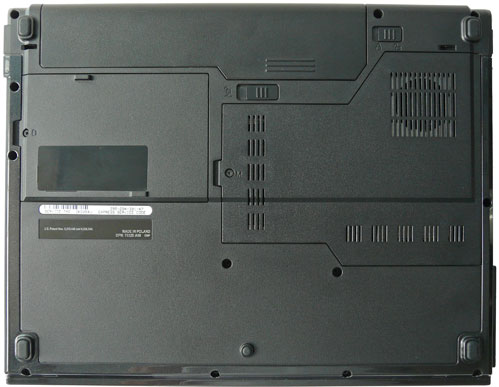
In case you have any doubts about cooling after seeing the tiny grills on the bottom and the right side, we're happy to report that there's nothing to worry about. Even under load, the chassis rarely heats up to over 30°C. As we couldn't find a volunteer to run some benchmarks while holding the Vostro in his lap, we placed it on a soft surface, to impair airflow, and let loose a few benches. The Vostro's fan wasn't amused, but still we could only measure 35-37°C. Impressive, considering it uses a 65nm CPU and 90nm chipset. The tiny fan was surprisingly quiet during the test.
Another thing we were worried about was the 4-cell battery, as we were quite skeptical about its performance. However, we managed to squeeze out just over 2 and a half hours out of it, which was rather good. Dell also offers 6-cell and 9-cell units for the Vostro 1310.