
Page 2 of 2
The software installation is as easy as it can be. Just a few clicks on the "next" button and you are up and running. The software places a small icon on the taskbar for quick access to the button configuration panel, and various sensitivity settings. Razer's Diamondback 3G software is pretty much simple and self explanatory.
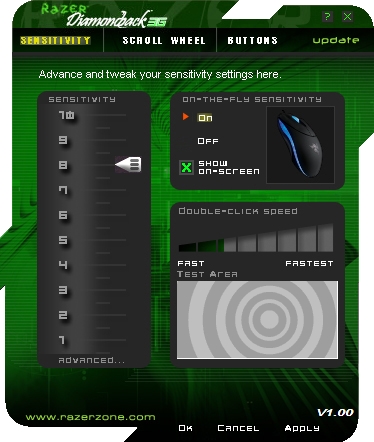
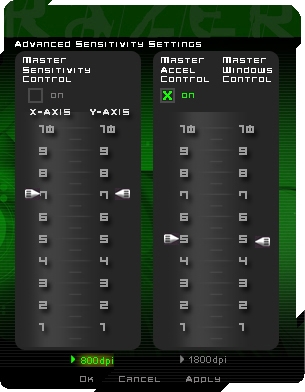
The first tab gives you basic sensitivity options, double-click speed settings, and On-the-Fly on/off option. The “advanced” tab was a bit disappointing as you can only select 800 or the 1800DPI setting. In the advanced tab you can also set master sensitivity control for both x and y axis, master acceleration control as well as the master windows control.
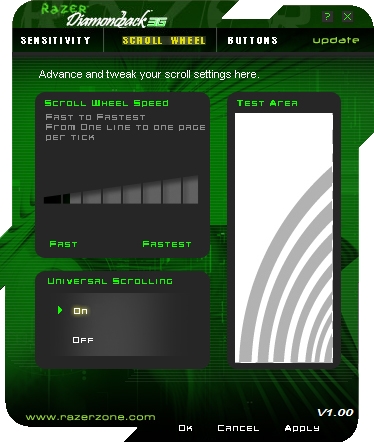
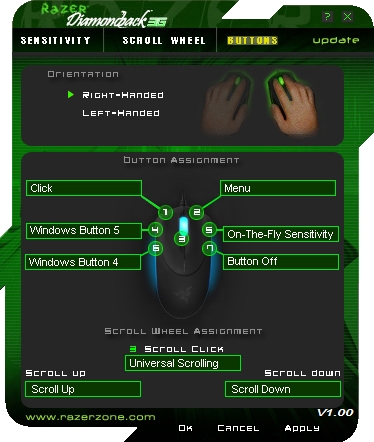
The scroll-wheel tab gives you basic scrolling sensitivity settings, while the last buttons tab lets you choose which the right or left hand orientation and button assignments.
We used the Razer Diamondback 3G for some casual gaming and normal office work and we were quite surprised how fast we got used to it. It works flawlessly on almost any surface that we tried it on, and you can really feel it glide if you pair it up with Razer’s Destructor mousepad. You can shoot your way trough your favorite FPS, use it for some long hour RTS sessions or just use it for some normal office work and browsing, or in short, Razer’s Diamondback 3G can take it all, it's truly a jack of all trades, and best of all, it doesn't cost a fortune.
Conclusion
Razer has done a great job with the Diamondback 3G, it has a better sensor than its predecessor, it has a great looks and it’s quite comfortable. We usually don’t like ambidextrous mice, but Razer certainly surprised us, as it is basically the only ambidextrous mouse that we felt really comfortable with.
Both right-handed and left-handed users can use it without any limitations, and there's no reason to shy away from it in case you're skeptical as far as ambidextrous mice go. Obviously, this makes it an ideal candidate for multi-user environments, in which both left handed and right handed users will use the same PC. So, it's not just a great choice for gaming, but for some small businesses, offices, design studios etc.
Considering its rather low price, the quality is remarkable and it feels very sturdy, which isn’t a surprise as Razer is well known for its robust peripherals. True, it is quite old now, but this also means that you can now get it at a remarkably low price. It can be found for US $49.99 directly from Razer, or as low as €30,37 if you look for it in European e-tail/retail.
Overall, Razer’s Diamondback 3G is a great gaming mouse and at this price we can recommend it without any doubt. If you think that 1800DPI is too low for you, you can always go for the more expensive 4000DPI Lachesis.
« Prev Next