

Review: Is BlueTrack better than laser?
A little while back Microsoft launched its BlueTrack technology and made a lot of bold claims about how it is better than mice with laser technology. The reason behind this claim is that BlueTrack is meant to work on virtually any surface.
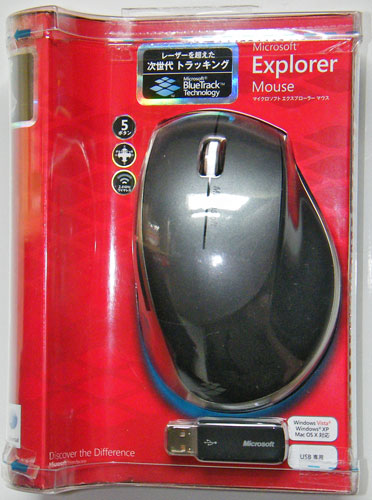
We got our hands on an Explorer Mouse, which is currently the only desktop mouse that uses the new BlueTrack technology, although there’s also the Explorer Mini Mouse for notebook users. The main difference between the two is that the Explorer Mouse is larger and comes with a charging station for the supplied rechargeable AA battery. The Explorer Mini Mouse is as the name suggests smaller and doesn’t have a rechargeable battery and as such you have to use standard AAA batteries.
Both models come with a fairly small transceiver which can be attached to the bottom of the mouse. When attached it turns off the mouse and as such disables battery drainage. The only downside to this with regards to the Explorer Mouse is the fact that you can’t charge the mouse at the same time, as it doesn’t fit into the supplied charging station when the transceiver is attached.
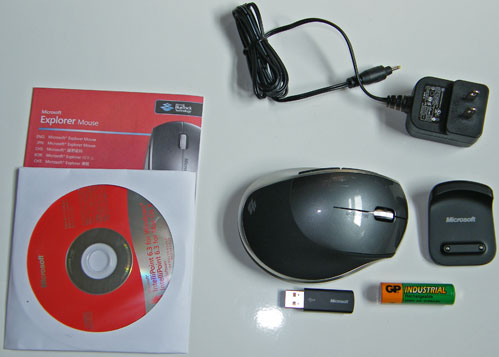
The charging station is tiny, although so is the power adapter and it stuck much better to the desk than expected, considering it's small size and light weight. Two pins in the bottom of the mouse are used to attach the mouse to the charging station and this is pretty much a standard for rechargeable Microsoft mice by now. In saying that, as the Explorer Mouse only use a single battery, it’s unlikely that the charger will work with other mice that have two batteries.
The mouse itself is rather large, maybe even too large for those with smaller hands, but it has a fairly comfortable ergonomic design. The soft touch rubber material on the back and right side also makes it comfortable to hold and we would’ve liked to have seen more of this material used. A bigger thumb rest would also have been a nice addition that would’ve made this mouse even more comfortable to hold.