Index
Page 5 of 9
Overclocking:
As already mentioned in our preview overclocking the new CPUs is a mess. Intel managed to put all settings in three different BIOS screens and on top of it, the BIOS does not calculate any frequencies for you; we feel like we are back in the stone ages when we were happy to overclock a P90 to 120MHz.
Nevertheless overclocking the 965XE is quite simple, because you do it only with the Turbo-Mode. We adjusted the VCore +275mV with the dynamic overvoltage feature, which avoids increasing the stock VCore and set the Turbo multiplicator to 30, voila 4GHz. If you increase the stock voltage it will increase power consumption in idle mode, too.
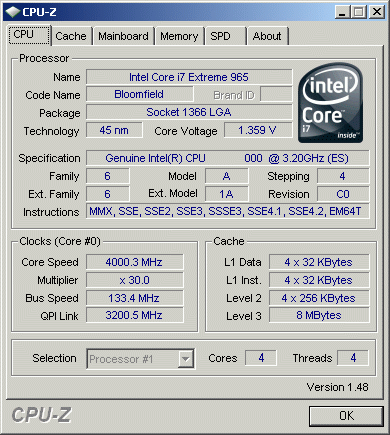
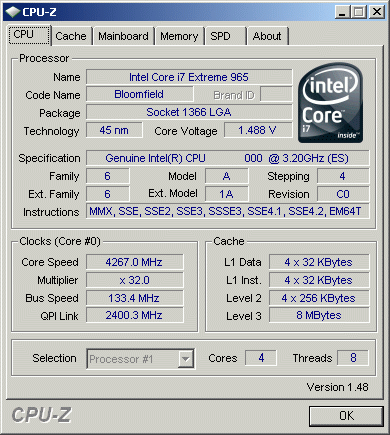
We tried even further, but with a multiplicator of 32 the board did boot up, but wasn't stable. As you can see we did decrease the QPI link frequency, which did help with overclocking, otherwise the board would not have booted up at all.
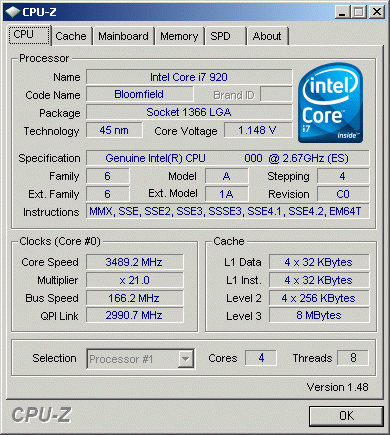
With the 920 it's quite more difficult. While you have a Turbo-Mode which increases the multiplier by 2, you can't set it freely. So you have to set the virtual host clock - in case you forgot, we don't have FSB anymore. For some reason our board wouldn't like frequencies over 166 and it did not matter if we enabled or disabled the Turbo-Mode. Furthermore, now the BIOS has settings for maximum current and TDP. We can't change them, but you will on non-Intel boards, for sure. So, our results were limited to 166MHz. Also, the Turbo-Mode kicked in only up to 21, because the TDP maximum - which we couldn't change - was hit. At least we got nearly 3.5Ghz without adding any VCore, which is quite impressive. To have only two multiplicators for memory, six and eight, is not a problem at all, even if you can hit a virtual host clock of 200, with 8 you get 1600MHz, which is the highest speed with affordable prices yet.