
BIOS:
eVGA uses a Phoenix-Award BIOS, with lots of options. While we were not happy with the intervals of voltage-settings, they get the job done. If you have finer steppings you can better try to lower power consumption because you don't need that much over-voltaging. As always, there are some silly settings, such as COM1 enabled - the package doesn't contain a COM header and some other.
The range of the options are ok. When overclocking and leaving settings @ auto, the BIOS does over-voltage on its own. That is a very bad behavior. "Auto" settings should do only the voltages required for normal operation. We strongly suggest you set everything yourself.
FSB-Overclocking:
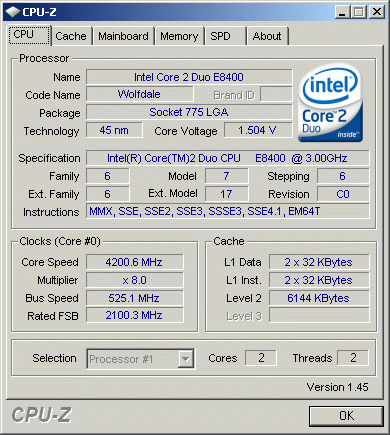
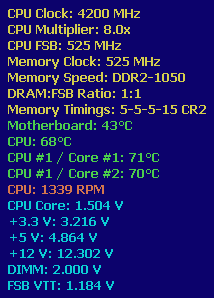
eVGA intended this board as a cheaper replacement for a 790i board, so they invested some engineering for the FSB. We got it up to 525MHz stable; this is the highest setting with an nVidia chipset we ever did.
CPU-overclocking:
Our CPU can do 4400MHz, and the board can boot up with such settings, but it was impossible to run it stable. Due the high voltage-drop the CPU need more voltage which increases temperature.
Memory-overclocking:
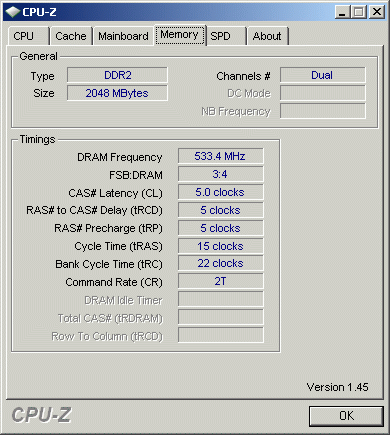
On the package the board says it will do 1066MHz. We tested this with 1066MHz exactly, and even with high FSB-overclocking, it works.
FSB BIOS clocking:
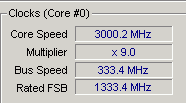
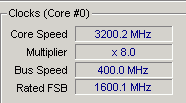
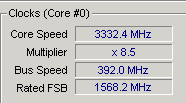
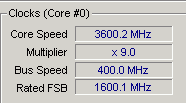
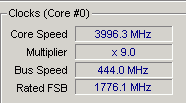
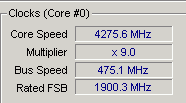
We have to state that we always recalculate the bench results to nominal frequencies. Most vendors slightly overclock their products, maybe to get more bench points, but we nullify such attempts. eVGA keeps the clock close to the nominal values:
Published in
Reviews
eVGA 750i SLI FTW
Page 4 of 6