
Index
Page 4 of 9
Layout:
The board has no significant differences compared to its DDR2 counterpart.
You can read the review here.
Only the heatpipe construction was enhanced, to keep the temperatures at bay, which does work without a problem, but will give you difficulties when mounting big coolers with the push-pin system. Removing the cooler is really a mess.
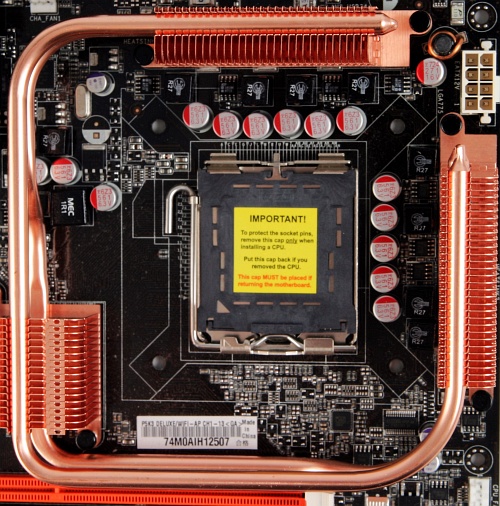
Overview:
No other differences are visible, even the BIOS is a clone, with the same problems and goodies. So we will only concentrate on the benchmarks and see if DDR3 makes any difference.
We have to state we do always recalculate the bench results to nominal frequencies. Most vendors do an overclock to their products, maybe to get more bench-points, but we nullify such attempts. The P5K3 has an overclock below 400MHz FSB:
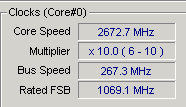
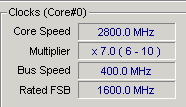
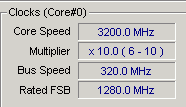
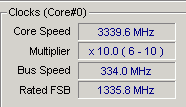
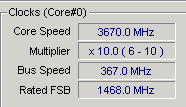
Overclock:
There are no differences in the OC capabilities, FSB reaches 485MHz.
However, you may run into some problems with the memory. Some will work, some will give you problems. The only solution to make them work is to disable transaction booster and set the relax level to 1. With 366MHz the board will not boot with auto settings. We know most users will not mess with memory timings, so we always try to overclock only with auto-settings. This time we made an exception, but the Kingston memory kit would not even boot-up with this setting.
UPDATE (Sunday, 14 July 2007):
Kingston will boot up with CL9, instead of the stated CL7. We always try to fit the specified values from the manufacture, if stated CL7-7-7-20 @ 1333MHz, we manually set the corresponding values in the BIOS setup. It seems many boards will have troubles with such settings. Our tests with DDR3 memory kits showed no performance loss with lower settings, because the chipset latencies were reduced.