Featured Articles

Gainward GTX 780 3GB previewed

Gainward GTX 780 3GB previewed

The Gainward GTX 780 is now available priced at about US $649/€649, but we're hoping it will be available for a…

More...
GTX 780 available in US stores

GTX 780 available in US stores

The GTX 780, a trimmed down version of the Geforce Titan, is out and we wrote that almost a dozen…

More...
Newegg claims Shield comes on June 30

Newegg claims Shield comes on June 30

It is no secret that for the last few days you can pre-order Nvidia Shield, at least if you are based…

More...
Nvidia officially launches the GTX 780

Nvidia officially launches the GTX 780

Just as we wrote a couple of days ago, Nvidia has picked the 23rd of May as the official launch date…

More...
HIS iCooler Turbo HD 7790 reviewed

HIS iCooler Turbo HD 7790 reviewed

Today we’ll take a closer look at a factory overclocked HD 7790, courtesy of HIS. The HIS HD 7790 iCooler Turbo…

More...
Frontpage Slideshow | Copyright © 2006-2010 orks, a business unit of Nuevvo Webware Ltd.
Friday, 22 August 2008 09:50

Microsoft SideWinder X6 unboxing pictures

Written by test

Image

Exlcusive: A rather slick looking keyboard


Thanks to a very lovely PR lady at Microsoft Taiwan, we've got some un-boxing pictures for you of the brand new SideWinder X6 keyboard. Don't look too closely though, as this is of the Taiwanese version of the keyboard, but the layout should be very close to that of the U.S. version, if not identical.

The fact that Microsoft already has localized versions of this keyboard is good news, as you'll most likely be able to get it in a local version, which isn't always done with these so called "gaming" keyboards, especially not from the slightly smaller companies.

We'll bring you a full review of the SideWinder X6 once we've had some time to try it out, but for now here are some pictures of what you can expect.

Image
The front of the box.

Image

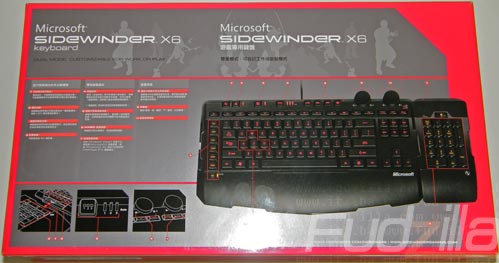
The back of the box.

Image

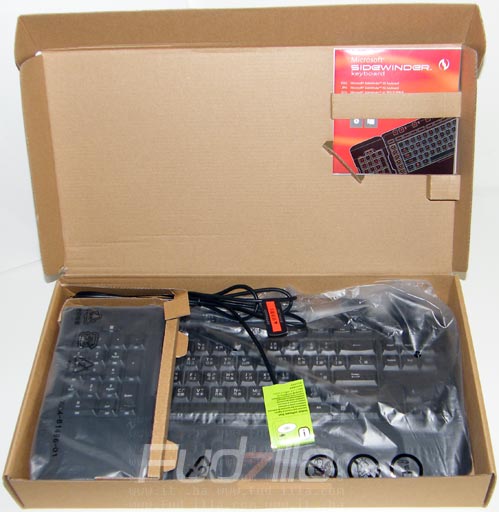
The inside of the box.

Image

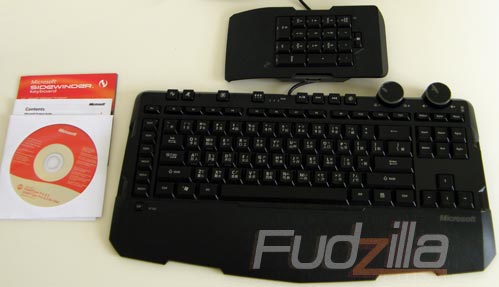
This is what you'll find inside the box.
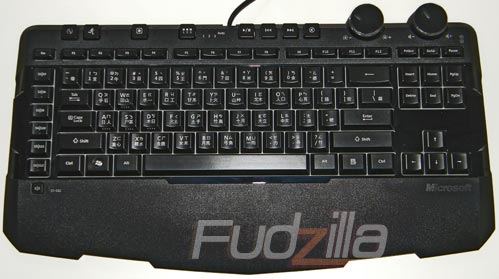
Image
The keyboard without the number pad attached.
Image
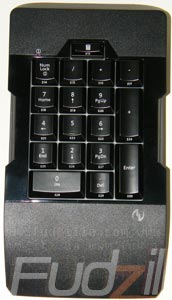
The number pad which also doubles up as additional macro keys.
Image
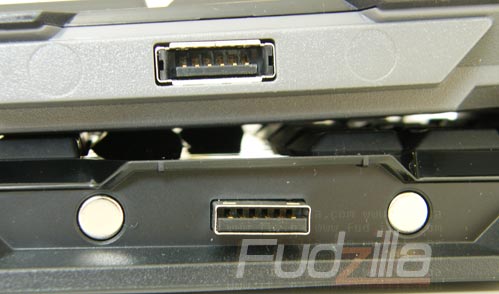
The proprietary connectors and magnets used to attach the number pad to the keyboard, note that they're reversed on the left and right sides.
Image
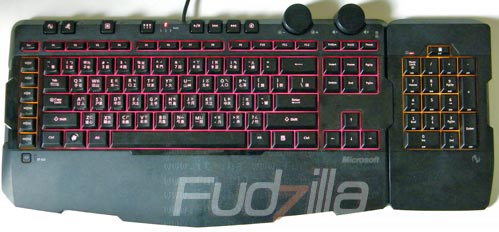
The backlight on max, it can be adjusted by using the right of the two large knobs, the left knob is used for adjusting the volume. The Macro keys are amber, although the number pad is red when it's not in macro mode.

Last modified on Saturday, 23 August 2008 06:17
blog comments powered by Disqus

To be able to post comments please log-in with Disqus


Facebook activity

Latest Commented Articles

Recent Comments